Scope creep is the silent killer of freelance profitability. It starts with a simple request: "Can we just add this one tiny feature?" Before you know it, you have worked 15 extra unbilled hours, and a project that was supposed to be highly profitable is now paying you less than minimum wage.
If you don't track your project budgets accurately, you are running your business blind. Here is how to track your freelance project budgets, protect your margins, and ensure you get paid for every hour you work.
The Danger of Scope Creep
When you are managing multiple clients, it is easy to lose track of exactly how much time you have dedicated to a specific deliverable. Without a clear system, clients will naturally push boundaries.
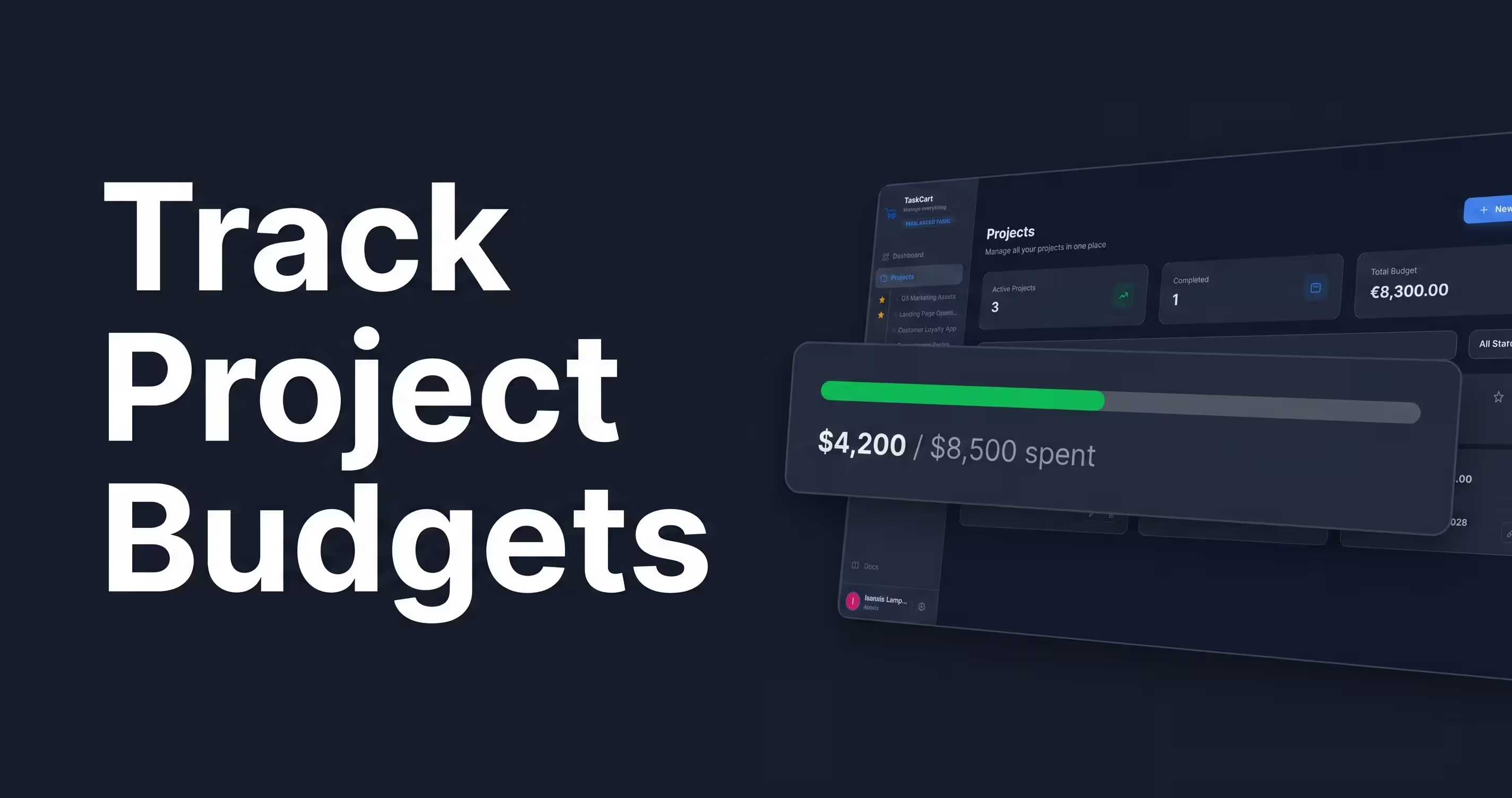
Budget tracking isn't just about accounting; it is about establishing boundaries. When you have concrete data showing a client that they have consumed 90% of their allotted project budget, it becomes incredibly easy to pivot the conversation to an upsell or a change-order contract.
Why Spreadsheets Fail for Budget Tracking
Many freelancers start by tracking their hours and budgets in a Google Sheet. While this is better than nothing, it requires manual data entry. You have to remember to log your hours, update the formulas, and then manually cross-reference that sheet when it is time to generate an invoice.
Manual entry leads to forgotten hours. Forgotten hours mean lost revenue. You need a system where your task management and your budget tracking are the exact same thing.
Hourly vs. Flat-Rate: Why You Must Track Both
If you bill by the hour, budget tracking is obvious. But what if you use a flat-rate pricing strategy?
You must still track your time and internal budget against flat-rate projects. If you charge $5,000 for a website and estimate it will take you 50 hours, your internal rate is $100/hr. If scope creep pushes the project to 100 hours, your effective rate drops to $50/hr. Tracking this data is the only way to know if your flat-rate pricing is actually profitable or if you need to raise your prices.
Integrating Budgeting with Task Management
The most efficient way to track a budget is to attach financial value directly to your tasks. If you use generic visual boards, this is nearly impossible.
For example, this is a major reason technical freelancers look for a Trello alternative. Trello is great for moving cards around, but it has no native concept of "estimated hours vs. actual cost." When you move a card to "Completed," it should automatically deduct from the client's overall project budget.
Setting Up Real-Time Budget Tracking
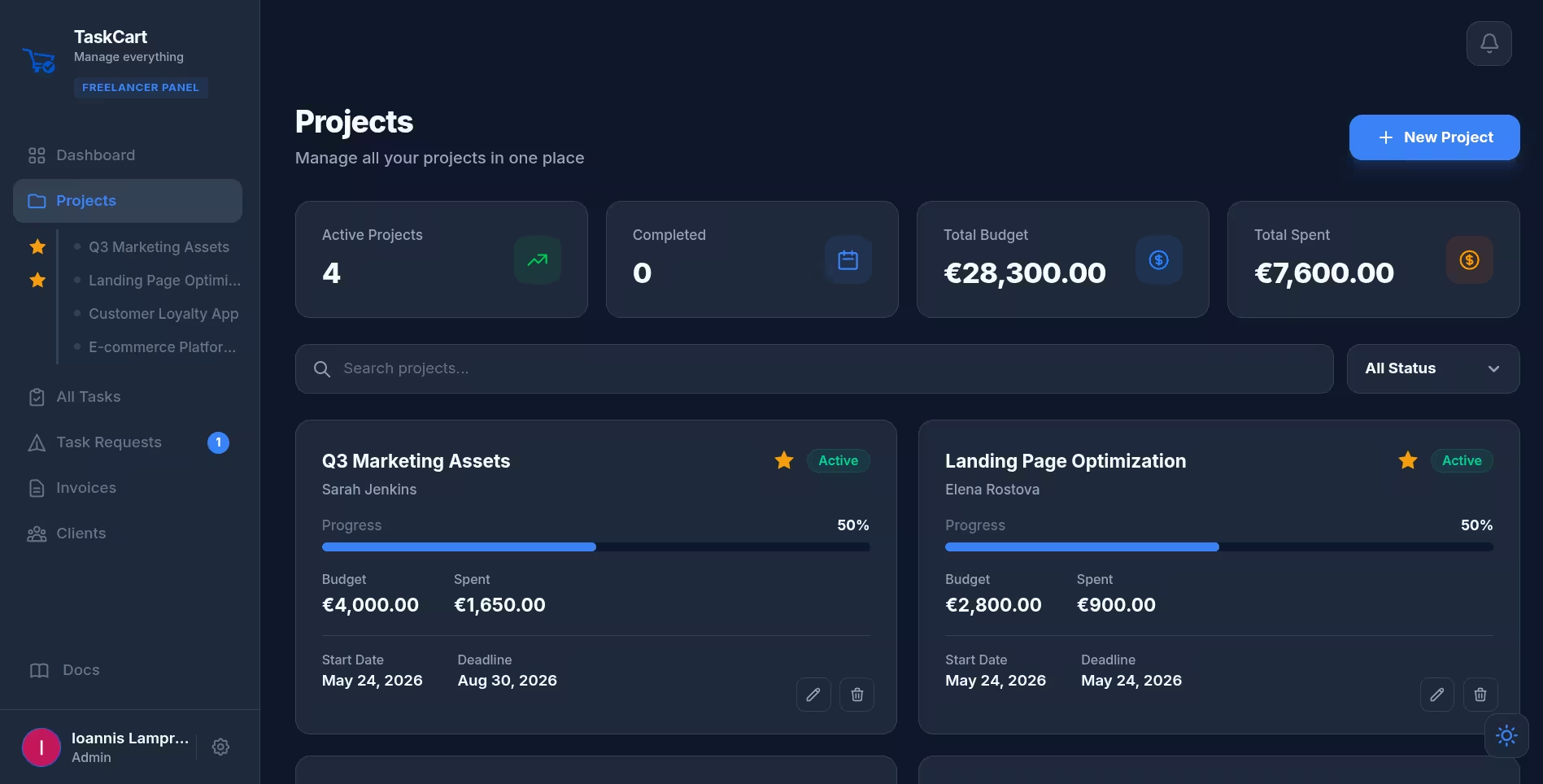
To eliminate manual data entry, use a platform that handles this natively. Within TaskCart's project dashboard, every project has a strict budget parameter.
As you and your clients submit Task Requests, you assign an estimated cost to each task. The dashboard provides a real-time progress bar showing exactly how much of the budget has been spent versus what remains. When the project hits 100%, you can instantly convert those completed tasks into a dynamically itemized Stripe invoice.